The Honest Guide to AWS Serverless Architecture (And When Not to Use It)
Serverless is the buzzword of the decade, but is it right for your project? We break down exactly when to use AWS Lambda and when to stick with traditional servers.
ARCHITECTURE
Ahmad Bouka
2 min read
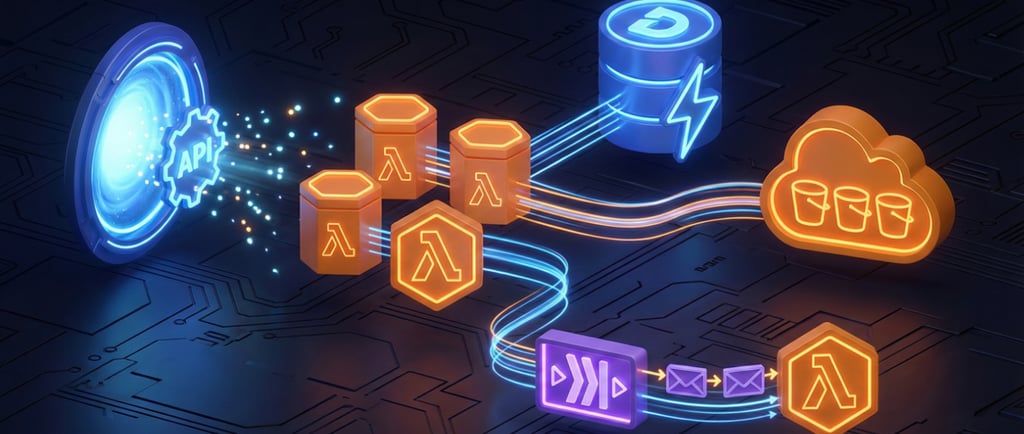
If you hang around tech circles long enough, you’ll hear someone shout, "Just go serverless!" as the solution to every problem. It sounds like magic—infrastructure that manages itself, costs nothing when idle, and scales infinitely.
But let’s be real: "Serverless" doesn't mean there are no servers. It just means you don't have to patch, manage, or lose sleep over them. Amazon (AWS) handles the heavy lifting while you focus purely on the code.
However, it’s not a silver bullet. Here is a realistic, 3-minute guide on when you should actually jump on the serverless bandwagon and how to get started.
What is AWS Serverless, Really?
At its core, AWS Serverless is about building applications composed of autonomous functions. Instead of renting a server 24/7 (like an EC2 instance), you upload a piece of code (a function) to AWS Lambda.
That code sits there, dormant and free of charge, until an "event" triggers it.
The Event: A user visits your website, uploads a file, or clicks a button.
The Action: AWS spins up a micro-container, runs your code, and shuts it down immediately after.
The Cost: You pay only for the milliseconds your code was running.
When to Use Serverless (The "Green Light" Scenarios)
1. Unpredictable or "Bursty" Traffic If you are launching a startup or a marketing campaign, you might have zero visitors one hour and 10,000 the next.
Traditional Server: You have to pay for peak capacity 24/7, wasting money during quiet times.
Serverless: It scales automatically from zero to thousands of concurrent requests instantly. You pay $0 when no one is visiting.
2. Event-Driven Tasks This is the sweet spot. Think of background jobs that need to happen automatically.
Example: A user uploads a profile picture to Amazon S3. You can trigger a Lambda function to automatically resize that image for mobile, save the path to a DynamoDB database, and finish—all without a dedicated server running.
3. REST APIs and Microservices Combining Amazon API Gateway with Lambda allows you to build a completely serverless backend for your web or mobile app. You get a robust, secure API that scales infinitely without managing a load balancer.
When to Pause (The "Yellow Light" Scenarios)
Serverless isn't perfect. Be cautious if:
You have long-running processes: Lambda functions time out after 15 minutes. If you are processing massive video files or training AI models, stick to EC2 or AWS Fargate.
You need ultra-low latency: Occasionally, a "Cold Start" occurs where AWS takes a second or two to initialize your code. If you are building a high-frequency trading platform, those milliseconds matter.
How to Start: A Simple Stack
Don't overcomplicate your first foray into serverless. Here is a classic "Hello World" stack to try:
Compute: AWS Lambda (to run your logic).
Storage: Amazon S3 (to host your static frontend HTML/JS).
Database: Amazon DynamoDB (a NoSQL database that scales effortlessly).
Interface: Amazon API Gateway (to let your frontend talk to your Lambda functions).
Summary
AWS Serverless is a superpower for developers who want to move fast and pay less. It removes the "undifferentiated heavy lifting" of server management. Just remember: it requires a different mindset. Start with a small background task, get comfortable with the event-driven model, and scale from there.
Contacts
bouka@theawsexpert.com
Los Angeles, California
Expert AWS cloud consulting services to transform your business infrastructure.
The aws Expert
Services
AWS Cost Optimization
Security & Compliance
Cloud Architecture
DevOps Automation
Managed AWS Support
Quick Links
Blog